AI Chat・Ask Chatbot Assistant
- 4.6
- Rating
- 10.00M
- Installs
- Free
- Price

 Analysis by App-foxy
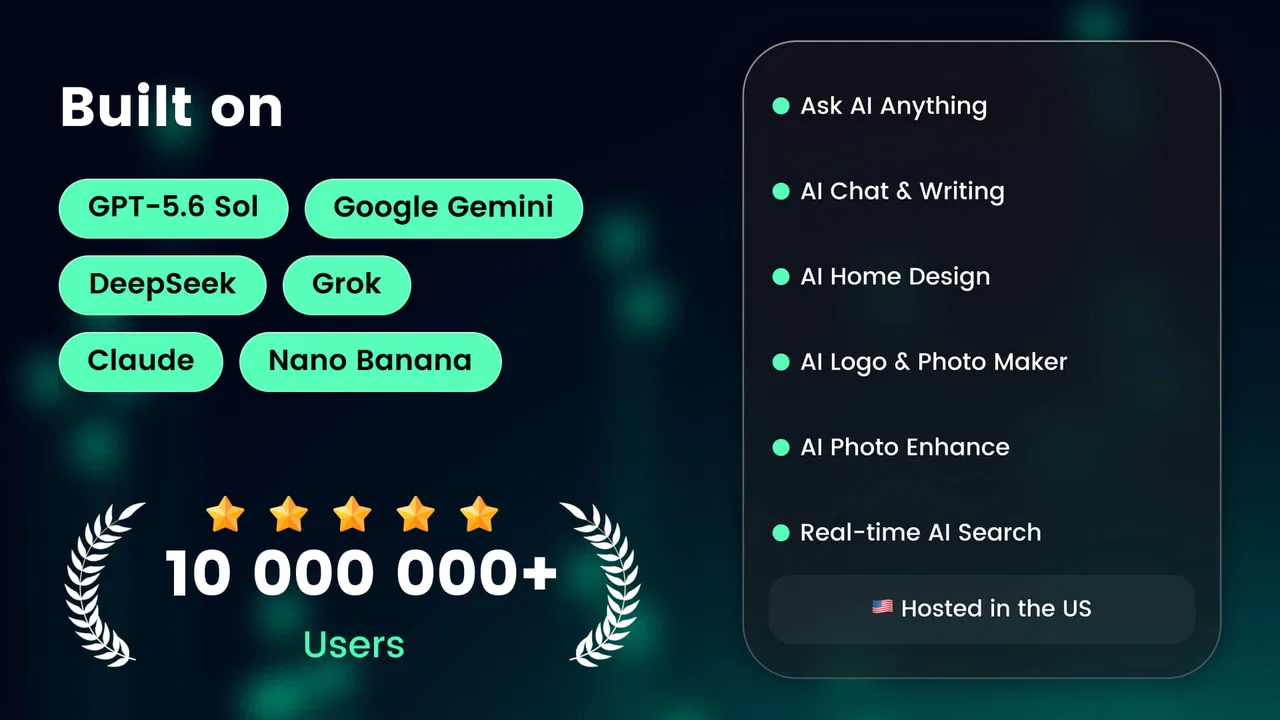
I spent time with AI Chat・Ask Chatbot Assistant as a general-purpose productivity app, and my first impression was that it tries to be more than a simple chat window. The core idea is familiar: type a question, request help, or ask for generated content. What makes this particular app worth examining is the way it brings several creative tasks into the same place, including home design ideas, logo concepts, tattoo prompts, and image generation.
That broad approach can be useful when I want to move quickly from an idea to a rough result without switching between several specialized tools. It can also feel unfocused if I am looking for a precise writing assistant or a dedicated design application. My overall view is that this is best treated as a flexible starting point rather than a replacement for expert software.
How the app works in everyday use
AI Chat・Ask Chatbot Assistant is a free productivity app from AI Chat Studio. It is available for users aged Everyone, runs on Android devices using version 6.0 or later, and its current version is 2.0.1. Those details make it approachable for people using older Android hardware, although the quality of any AI-generated result can still depend on the device, connection, and the complexity of the request.
You May Also Like

 Blood Strike: 2.5 Anniversary
Blood Strike’s Loadouts Turn Every Drop Into a Tactical Gamble
A close look at Blood Strike’s custom loadouts: how fast access to signature weapons reshapes its battle royale rhythm, rewards preparation, and narrows the gap between fights.

 Pandora - Music & Podcasts
Pandora’s Music Is Easy to Start, but Harder to Recover
Pandora’s strength is its low-effort path from a seed to a station. Its weak spot is how much confidence it asks you to place in connection, setup, and quiet recovery.

 8 Ball Pool
 Is Built on Rivalries, Rematches, and Routine
A close look at the rivalries, rematches, shared routines, and unanswered safety questions that turn a quick pool match into a persistent mobile community.

 Samsung Music
’s Quiet Strength Is Playing What You Already Own
Its reach comes less from spectacle than from dependable access to a personal library. That simplicity is both the app’s strongest retention engine and its ceiling.

 AccuWeather: Weather Radar
AccuWeather Review: A Quick, Clear Forecast for Everyday Decisions
For everyday plans, the best forecast is the one you can understand quickly. AccuWeather makes rain timing, radar, and local conditions easy to act on, with a few trade-offs.

 Hill Climb Racing
Why Hill Climb Racing Still Turns Crashes Into One More Run
A tiny car, a bumpy hill and one more upgrade: Hill Climb Racing keeps resurfacing because its simple chaos makes every near-miss feel personal.
More From Our News Desk



The simplest way to use it is to treat the conversation as a working draft. Instead of asking one large question and accepting the first response, I get better results by giving the app a clear role, a specific goal, and useful limits. For example, a request for “ideas for a small living room” is much less helpful than asking for three layouts for a narrow room, with a calm color palette, practical storage, and a modest budget. The second prompt gives the assistant something concrete to work with.
This matters because the app’s appeal is not just asking questions. It is the ability to turn a vague thought into several possible directions. I can begin with a rough idea, ask for alternatives, request a shorter version, and then use the strongest result as a draft. That workflow is more practical than expecting the first answer to be perfect.
For writing tasks, I would use it for outlines, rewrites, brainstorming, simple explanations, or turning notes into a cleaner message. It can help when I am staring at a blank page and need momentum. I would still read every answer carefully, especially when the subject involves technical instructions, personal decisions, health, finances, or anything that depends on current facts.
The creative side gives the app a different character from a conventional office tool. A person planning a room refresh can use it to explore styles before shopping. Someone starting a small project can ask for logo directions. A user considering a tattoo can request themes, symbolism, placement ideas, and different visual moods before speaking with a professional artist. These are useful early-stage exercises, but they should not be confused with finished design work.
Using it for visual brainstorming
The home design angle is most useful when I approach it as a planning conversation. I would describe the room’s purpose, approximate shape, existing furniture, preferred mood, and practical restrictions. The more context I include, the more likely the suggestions are to feel connected to the actual situation rather than like a collection of attractive but unrealistic ideas.
A helpful trick is to ask for competing directions instead of one answer. I might request one warm and traditional concept, one minimalist concept, and one option focused on storage. Comparing those directions makes it easier to identify what I actually like. I can then ask the assistant to combine the strongest parts, such as the colors from one concept and the layout priorities from another.
Logo generation can follow the same process. I would first describe the audience, tone, name, and intended use, then ask for several visual approaches. The important trade-off is speed versus ownership of the final result. A generated concept can help me explain an idea to a designer, but a serious brand still needs human refinement, checking, and a consistent version for different sizes and backgrounds.
Tattoo-related prompts require even more care. The app can help me explore motifs and meanings, but the final design should be reviewed by an experienced tattoo artist. Placement, line weight, aging, skin movement, and technical execution are not things I would leave to an automated suggestion alone. I see the app as a conversation starter, not as the final authority.
Getting better answers from the chat
One of the most useful habits is to separate the task into stages. First, I ask for ideas. Next, I ask the assistant to compare them against my constraints. Finally, I request a polished version of the option I prefer. This reduces the chance of receiving a polished answer that quietly ignores an important requirement.
I also find it useful to state what I do not want. If I am asking for a logo concept, I can rule out overly playful styles, crowded layouts, or certain colors. If I am asking for a message, I can specify that it should sound friendly but not overly formal. Negative constraints often make the result more usable than adding more adjectives.
Another practical technique is to ask for assumptions to be listed separately. When a response depends on missing context, seeing those assumptions helps me decide what to clarify. This is especially important for room planning, where the assistant may otherwise suggest furniture or arrangements without knowing the real dimensions.
For image-related work, I would save the wording of prompts that produce a promising direction and revise one element at a time. Changing the subject, style, and composition all at once makes it difficult to understand what improved the result. A slower, controlled process is more effective than repeatedly sending random prompts.
Free access, paid value, and the real trade-off
The app can be downloaded and used as a free product, which makes it easy to test before deciding whether it fits my routine. That free entry is important because a multi-purpose AI tool may sound useful in theory but prove unnecessary after a few sessions. I would begin with ordinary questions, a small writing task, and one creative experiment rather than committing immediately to any purchase.
In-app purchases are listed from $3.99 to $199.99 per item. The wide range means I would pay close attention to the purchase screen and the exact benefit attached to an individual option before spending money. I would not assume that a higher-priced item automatically delivers better results for my particular use. The right question is whether the paid access removes a limitation I genuinely encounter often.
That distinction separates free value from paid value. The free experience can be worthwhile for occasional brainstorming, quick explanations, and testing the app’s creative direction. Paid access only becomes easier to justify when I use the service regularly enough that additional access or capabilities save meaningful time. If I only need a few ideas once a month, the free starting point may be sufficient.
I would also avoid judging the app by the most impressive result I see. A single attractive image or clever answer does not prove that every request will be equally useful. Before paying, I would test the kinds of prompts I actually expect to use: perhaps short business copy, room concepts, study explanations, or visual themes. Value depends on consistency, not just possibility.
The app’s popularity gives it some useful context. It has passed 10 million installs and holds a 4.5 average from around 185 thousand ratings, with roughly 1.5 thousand written reviews. Those figures suggest that many people find the general concept worthwhile, but they do not tell me whether a particular paid option suits my needs. I still prefer a personal trial over relying on popularity alone.
There is also a practical cost to using a broad AI app: attention. If I am constantly experimenting with prompts, refining outputs, and checking mistakes, the tool can become a distraction rather than a productivity aid. A good workflow includes a stopping point. Once I have a usable outline or a clear design direction, I should move on to the actual task instead of endlessly polishing generated variations.
Where it saves time
The strongest value I see is at the beginning of a project. AI Chat・Ask Chatbot Assistant can help me get from “I need something” to “Here are several directions” quickly. That is useful for a student preparing a presentation outline, a small business owner exploring a visual identity, or a homeowner trying to describe a room makeover.
Consider a realistic evening scenario. I might need to refresh a small home office but have no clear plan. I can describe the room, mention that I need space for work and storage, and ask for several styles. After choosing one direction, I can request a shopping checklist organized by priority, then ask for a shorter version I can keep while comparing items. I would still verify measurements and prices elsewhere, but the app helps organize the thinking that comes first.
A similar workflow works for a community event. I could ask for name ideas, a short description, a friendly announcement, and a few logo concepts. Rather than producing each item in isolation, I would keep the same audience and tone in the conversation so the pieces feel related. The result may not be publication-ready, but it can reduce the time spent staring at an empty document.
For learning, I would use it as an explainer that can rephrase a difficult topic. Asking for a simple explanation, then an example, then a short quiz can make a study session more active. I would compare important facts against trusted educational material, particularly when accuracy matters more than convenience.
Where the usual alternatives are better
A dedicated writing application is usually a better choice when I need dependable document editing, detailed formatting, version control, or collaboration. A specialized image editor is better for precise layers, retouching, typography, and production-ready output. A professional design platform is preferable when a logo must be delivered in carefully prepared formats and remain consistent across many uses.
The advantage of this app is breadth, not depth. I can explore several kinds of work in one place, but I should expect to leave the app when the project reaches a professional production stage. That is not necessarily a weakness; it is simply the boundary of a general assistant.
It is also not the right choice for someone who wants a fully controlled creative process from the first sketch to the final export. If I already know exactly how I want to construct a design, manual tools may be faster and less frustrating. The assistant is most helpful when I need options, wording, structure, or inspiration.
Limitations I would keep in mind
The biggest limitation is the familiar one with AI tools: a confident response can still be incomplete, unsuitable, or wrong. I would not copy important instructions without checking them. I would also avoid entering sensitive personal information simply because a chat feels private or informal.
Creative suggestions can be uneven as well. A generated logo may contain an interesting concept but lack the clarity needed for a real identity. A tattoo idea may look appealing in a prompt but fail to translate cleanly onto skin. A room concept may ignore practical constraints unless I state them clearly. The user remains responsible for judging feasibility.
Another source of friction is the temptation to ask for too much at once. Combining a detailed design brief, a marketing plan, several image styles, and a finished announcement in one request can produce a muddled response. I get better results by keeping each step focused and carrying the useful context forward.
The app was released on April 14, 2023, and the current version is 2.0.1. I would keep the application updated through the normal app store process, especially because AI products can change their behavior and available tools over time. The version number is useful context, but it is not a promise that every task will work identically on every device.
Who should try it
I would recommend trying it if you want one accessible place for general questions, early writing help, and creative exploration. It suits people who enjoy working through ideas conversationally and who are comfortable editing the output themselves. Students, casual creators, new business owners, and anyone planning a personal project may find the broad range more useful than a narrowly focused tool.
It is particularly appealing if switching between separate apps feels like unnecessary effort. One conversation can help shape a concept, improve its wording, and suggest visual directions. That convenience is the main reason I would keep it installed, even though I would not use it for every stage of a project.
I would skip it if I need guaranteed factual accuracy, advanced professional design controls, or a predictable production workflow. I would also be cautious about paying if my use is occasional and the free experience already covers my needs. In that situation, a dedicated tool used only when necessary may offer better value.
My buying advice is simple: start free, test real tasks, and judge the result by how much time it saves after editing. Do not pay merely because the app offers many creative possibilities. If you repeatedly return to it for useful drafts, structured ideas, or visual exploration, a paid option may be worth considering at the listed purchase level that matches your needs. If the outputs remain rough or require more correction than they save, keep your money.
After using it as a general assistant, I see AI Chat・Ask Chatbot Assistant as a capable idea partner rather than an all-in-one replacement for established productivity and design software. Its free entry makes experimentation easy, while the broad set of creative uses gives it more range than a basic chatbot. The trade-off is that I have to guide it carefully, verify important answers, and finish serious work elsewhere.
My final recommendation is to try it for discovery, drafting, and early creative decisions, not blind automation. If that matches the way you work, the app can earn a place in your toolkit. If you need precision, deep editing controls, or professional-ready files from the start, I would choose a specialized alternative instead.
FAQs for AI Chat・Ask Chatbot Assistant
01What features does the AI Chat・Ask Chatbot Assistant offer?
The AI Chat・Ask Chatbot Assistant provides a wide range of features designed to enhance user interaction. It includes real-time conversation capabilities, natural language processing, and integration with various apps and services. Users can ask questions, get recommendations, and automate tasks, making it a versatile tool for personal and professional use.
02Is the AI Chat・Ask Chatbot Assistant compatible with both Android and iOS devices?
Yes, the AI Chat・Ask Chatbot Assistant is available for both Android and iOS platforms. Users can download the app from the Google Play Store or the Apple App Store, ensuring compatibility with a wide range of devices. The app is optimized for seamless performance on both operating systems.
03How does the AI Chat・Ask Chatbot Assistant handle user privacy and data security?
The AI Chat・Ask Chatbot Assistant prioritizes user privacy and data security. It employs encryption protocols to safeguard personal information and ensures that data collected during interactions is anonymized. Users have control over their data, and the app complies with international privacy regulations to provide a secure experience.
04Can the AI Chat・Ask Chatbot Assistant be customized for personal use?
Absolutely, the AI Chat・Ask Chatbot Assistant allows users to customize various aspects of the app to suit personal preferences. Users can set specific commands, adjust the conversational style, and integrate the assistant with other applications, creating a personalized experience tailored to individual needs.
05What are the subscription options for the AI Chat・Ask Chatbot Assistant?
The AI Chat・Ask Chatbot Assistant offers both free and premium subscription options. The free version provides basic functionalities, while the premium version unlocks advanced features, such as enhanced AI capabilities and priority support. Subscription plans are flexible, allowing users to choose monthly or annual payment options.
Pros
- User-friendly interface for easy navigation.
- Quick and accurate response times.
- Supports multiple languages for wide accessibility.
- Customizable settings for personalized use.
- Integrates with other apps seamlessly.
Cons
- Limited offline functionality.
- Occasional repetitive responses.
- Requires regular updates for optimal performance.
- Subscription needed for premium features.
- Voice recognition can be inconsistent.

AI Chat・Ask Chatbot Assistant
Gallery